How to Install Electrical Appliances in Your Office
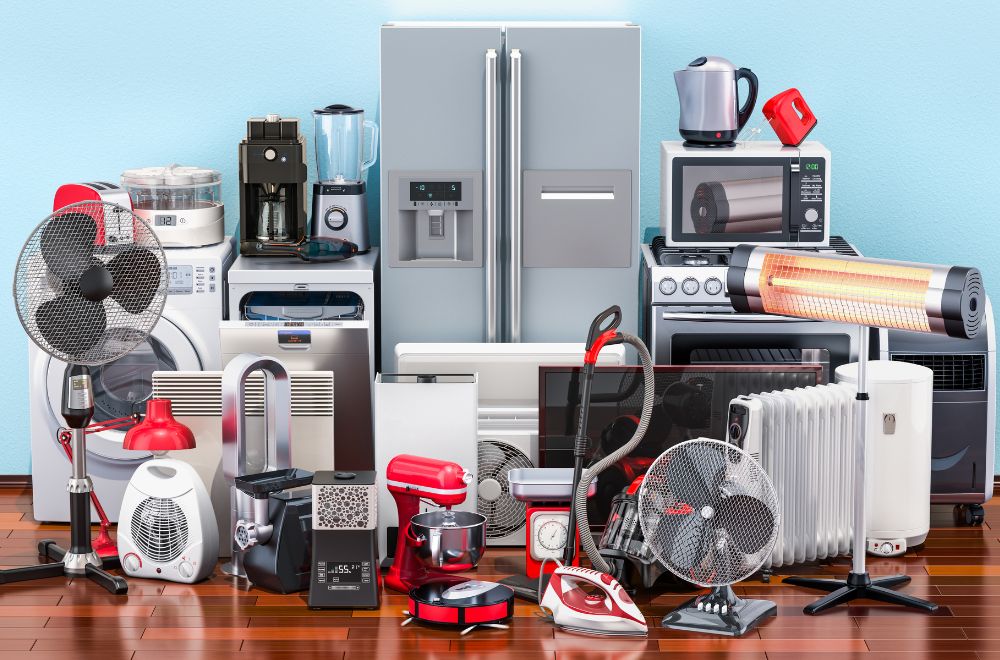
Setting up electrical appliances in your office is an essential step in creating an efficient and functional workspace. Whether you’re installing computers, printers, coffee machines, or air conditioners, proper installation ensures safety, energy efficiency, and smooth operation. This guide will walk you through the process of installing electrical appliances in your office, from preparation to safety precautions, to ensure everything is set up correctly.
Step-by-Step Guide to Installing Electrical Appliances in Your Office
1. Plan Your Appliance Layout
Before you start installing any appliances, it’s important to plan the layout of your office and decide where each device will go. A well-thought-out layout improves the functionality of your workspace, minimizes cable clutter, and ensures that you’re using the space efficiently.
- Determine the Location: Identify areas with adequate power supply and ventilation for appliances like air conditioners, refrigerators, and printers.
- Consider Accessibility: Ensure that the appliances are easily accessible for maintenance and use.
- Avoid Overloading Circuits: Don’t place too many high-power appliances on the same circuit to avoid overloading. Balance the load across multiple circuits if necessary.
2. Check Power Requirements
Each electrical appliance has specific power requirements that must be met to function correctly. Before installation, verify the voltage, wattage, and current needed for each device to ensure your office electrical system can handle them.
- Voltage Compatibility: Make sure the appliance matches the local voltage specifications (e.g., 240V in Malaysia).
- Circuit Rating: Check if the appliance’s power load matches the rating of the circuits in your office. Overloading circuits can lead to electrical fires or damage to the appliances.
3. Hire a Certified Electrician (If Necessary)
While some appliances can be easily plugged in and set up by yourself, others require the expertise of a professional. For installations that involve heavy-duty appliances like air conditioners or wiring for multiple devices, it’s best to hire a certified electrician.
- Safety Compliance: A licensed electrician ensures that the installation meets local electrical codes and safety standards.
- Wiring and Electrical Work: For appliances that require hardwiring, an electrician will help run the necessary wiring safely and ensure correct grounding.
4. Install Power Outlets and Surge Protectors
When setting up electrical appliances in your office, it’s crucial to have sufficient power outlets. Installing dedicated outlets and surge protectors for each appliance prevents overloading and protects sensitive equipment.
- Dedicated Outlets: Install separate outlets for high-power devices like computers, printers, or air conditioners.
- Surge Protectors: Use surge protectors to shield appliances from power surges that may cause damage. This is particularly important for computers, printers, and networking equipment.
5. Properly Connect Appliances
Once the appliances are in place, it’s time to connect them to power. Always follow the manufacturer’s instructions for proper setup, and never attempt to bypass safety guidelines.
- Plug-in Devices: For smaller appliances like printers, computers, or coffee machines, plug them directly into power outlets or surge protectors.
- Wiring and Connections: For larger appliances (e.g., air conditioners, refrigerators), make sure the connections are secure and follow the recommended installation steps.
6. Test the Appliances
Before fully operating any new appliances, it’s crucial to test them to ensure everything is working correctly. Check that all devices are connected to the power supply and functioning as expected.
- Turn On Appliances: Switch on each appliance and check for any issues like malfunctioning buttons, blinking lights, or unusual noises.
- Monitor Power Consumption: Keep an eye on the appliances’ power consumption to ensure they’re running smoothly without draining excessive energy.
7. Maintain Your Electrical Appliances
After installation, regular maintenance is key to ensuring the longevity and safety of your appliances. Schedule periodic checks to ensure everything is working as it should.
- Regular Inspections: Inspect appliances for any signs of wear and tear, including frayed cords, malfunctioning switches, or leaks (for cooling systems).
- Cleaning and Servicing: Clean your appliances regularly, especially air conditioners and refrigerators, to prevent buildup of dust and dirt that could affect performance.
Safety Tips When Installing Electrical Appliances in the Office
- Avoid Overloading Circuits: Plugging too many devices into one outlet can overheat the circuit. Always use the proper number of devices per outlet to avoid electrical fires.
- Use Approved Appliances: Only use appliances that have been tested and certified by recognized safety standards to prevent electrical hazards.
- Check Cables and Connections: Ensure that all cables and connections are intact and properly grounded to avoid shocks or equipment failure.
- Keep Wet Areas Dry: For appliances in kitchens or bathrooms, make sure there is no contact with water to avoid electric shock or damage.
Why Choose Baik Urus for Your Office Appliance Installation Needs?
When it comes to installing electrical appliances in your office, Baik Urus provides expert guidance and reliable products to ensure the best results. Here’s why you should trust Baik Urus for all your office installation needs:
- Expertise and Support: Baik Urus offers professional advice on the best appliances for your office and provides assistance with installation.
- Wide Range of Appliances: From printers to air conditioners, Baik Urus offers a variety of electrical appliances that are ideal for office environments.
- Safety Compliance: Baik Urus ensures that all products meet the necessary safety standards and are installed following local regulations.
- Reliable Service: With Baik Urus, you can rest assured that your appliances will be installed correctly and maintained for optimal performance.
FAQs: How to Install Electrical Appliances in Your Office
1. Do I need a professional to install electrical appliances?
For basic appliances, you may install them yourself. However, for larger appliances that require electrical wiring or heavy-duty equipment, it’s recommended to hire a licensed electrician.
2. How do I ensure my office appliances are energy efficient?
Look for energy-efficient models and ensure they are used correctly, maintaining proper ventilation and power settings to avoid energy wastage.
3. Can I install multiple devices on a single power strip?
It’s advisable not to overload a power strip. Use separate outlets for high-power devices and ensure power strips are rated for the number of devices you plan to connect.
4. How do I prevent electrical hazards in the office?
Always use certified appliances, check wiring regularly, and avoid overloading circuits. Using surge protectors is also recommended to prevent damage from power spikes.
5. What should I do if an appliance isn’t working after installation?
If an appliance fails to operate after installation, check the power supply, ensure connections are secure, and consult the manufacturer’s troubleshooting guide. If necessary, seek professional repair services.
Conclusion
Installing electrical appliances in your office may seem like a daunting task, but with proper planning and safety precautions, it can be a smooth process. By considering your appliance layout, power requirements, and safety guidelines, you can create a functional and efficient workspace. For businesses that need professional installation services, Baik Urus is your go-to provider for high-quality appliances and expert installation assistance.
👉 Contact Baik Urus today to explore their range of office appliances and schedule a professional installation for your office space!